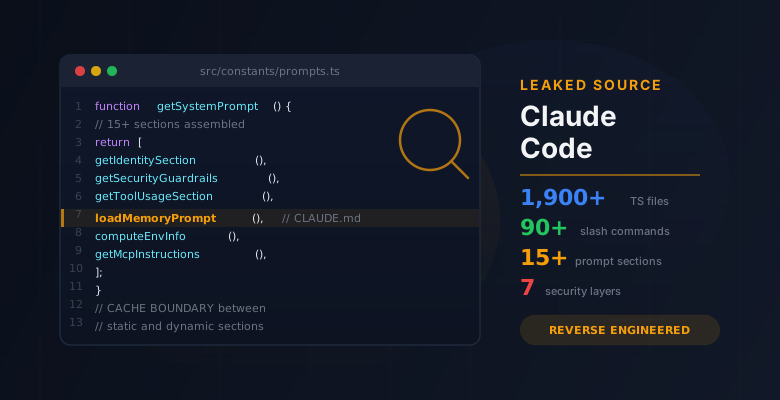
On March 31, 2026, Chaofan Shou (@Fried_rice) posted what would become one of the most talked-about disclosures in the AI tooling space: Claude Code's full, unobfuscated TypeScript source had been sitting in a source map file on Anthropic's npm registry, downloadable as a zip from their R2 storage bucket.
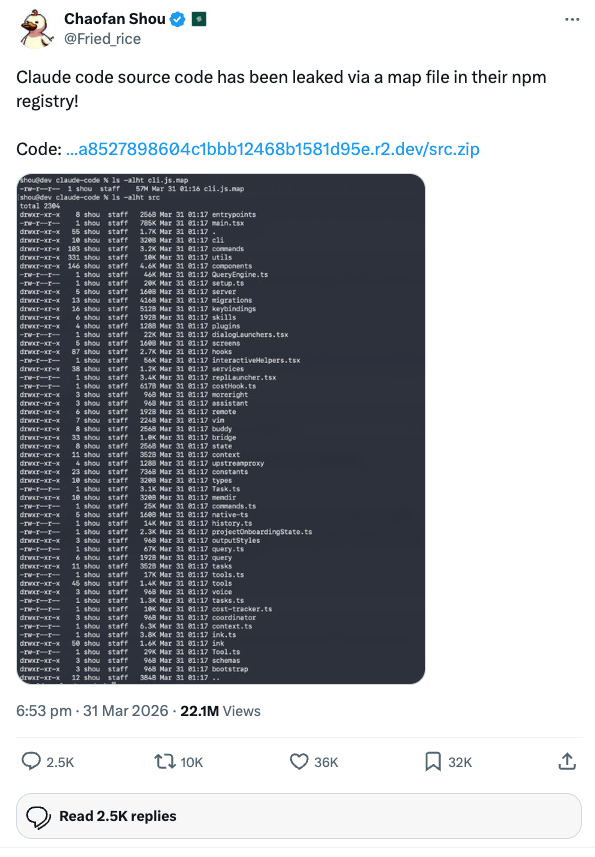
Within hours, the entire 1,900-file codebase was circulating. Security researchers started combing through it for vulnerabilities. Anthropic will no doubt push changes to mitigate whatever gets found. The usual cycle.
But while everyone else was hunting for exploits, I went in a different direction. I wanted to understand how Claude Code actually works under the hood, and whether there were undocumented levers we could pull to make it work better. (I'm also looking into the security side of things, but that's a story for another post.)
Turns out, there were quite a few.
Full Documentation
Claude Code Leaked Source Code Analysis
8 pages covering system prompt assembly, agent architecture, permissions, compaction, memory, feature flags, and every undocumented hack we found.
View the Full AnalysisThe Angle: Hacks, Not Exploits
The source code is not readily runnable. It depends on Anthropic's internal Bun build pipeline, compile-time feature gates, and infrastructure we don't have access to. You can't just fork it and spin up your own Claude Code.
But you can read it. And reading it reveals a wealth of undocumented environment variables, hidden commands, architectural patterns, and configuration options that are available right now in the production build but never made it into the official docs.
I wrote up a full documentation site covering everything from system prompt assembly to the multi-agent swarm system. But if you're short on time, here are the five most impactful things I found.
Top 5. The Memory System Has a 200-Line Hard Limit
This one caught me off guard. Claude Code's memory system uses a MEMORY.md index file that gets loaded into every conversation. What the docs don't tell you is that lines after 200 are silently truncated.
If your MEMORY.md has grown to 250 lines over months of use, Claude literally cannot see the last 50 entries. There's no warning, no error. They just don't exist in the context window.
On top of that, memories older than one day get a staleness caveat injected into the prompt:
"This memory is X days old. Verify against current code before asserting as fact."
This makes Claude second-guess old memories, even stable ones. If you have important, permanent memories (like your team's coding conventions), you can reset the modification time to stop the caveat from appearing:
touch ~/.claude/projects/<project>/memory/important_memory.mdWhy it matters: If you rely on memories for project context, you might be operating with incomplete or doubted information without realising it. Prune your MEMORY.md regularly and keep it under 200 lines.
Top 4. Custom /compact Instructions Change Everything
Most people know about /compact. Few know you can pass instructions to it.
The compaction system works by summarising your entire conversation into a 9-section format (primary request, key concepts, files, errors, pending tasks, etc.). By default, it decides what's important. But you can override that:
/compact Preserve all details about the API migration. Forget the CSS discussion.
/compact Keep the database schema decisions. Summarise everything else.
/compact Focus on the test failures and their fixes.
The compactor model uses your instructions to shape the summary. This is dramatically better than blind compaction for long sessions where you've gone down multiple paths and only some of them matter.
Why it matters: Without custom instructions, compaction treats everything equally. Important architectural decisions get the same weight as a CSS padding discussion. Targeted compaction lets you preserve what matters and shed what doesn't.
Top 3. Your CLAUDE.md Is Competing With 7 Sections Above It
This was the most eye-opening finding. The system prompt isn't a single block of text. It's dynamically assembled from 15+ sections at runtime, and your CLAUDE.md lands at position 8.
Here's the actual order Claude sees:
 1. Identity + Security Guardrails        ─┐
 2. System Behaviour Rules                 │
 3. Task Execution Guidelines              │ STATIC
 4. Safety & Reversibility Guidance        │ (globally cached)
 5. Tool Usage Guidance                    │
 6. Tone & Style                          ─┘
    ─────── CACHE BOUNDARY ───────
 7. Session-Specific Tool Tips            ─┐
 8. YOUR MEMORY.md + CLAUDE.md  <-- HERE   │
 9. Environment Info (CWD, git, OS)        │ DYNAMIC
10. Language + Output Style                │ (per-session)
11. MCP Server Instructions                │
12. Scratchpad + Token Management         ─┘
Two practical implications:
Don't repeat what sections 1-6 already cover. Instructions like "be concise", "use tools properly", or "read files before editing" are already in the system prompt. Putting them in your CLAUDE.md wastes tokens and adds nothing.
Your CLAUDE.md is injected on every single API call. Every byte of it is sent with every turn. 1KB of CLAUDE.md means 1KB of additional input tokens multiplied by every API call in your session. Keep it lean.
Anthropic's internal builds also include numeric length anchors that reduced output tokens by ~1.2%:
# Output Rules
- Keep responses under 100 words unless I ask for detail.
- Keep text between tool calls under 25 words.
- No preamble, no summaries, just do the work.
You can add similar instructions to your own CLAUDE.md for the same effect.
Why it matters: Understanding the prompt structure lets you write CLAUDE.md files that complement the existing instructions rather than duplicating them, saving tokens and improving cache hit rates.
Top 2. Coordinator Mode Unlocks Multi-Agent Orchestration
Setting CLAUDE_CODE_COORDINATOR_MODE=1 activates an entirely different operating mode. Instead of doing work directly, Claude becomes an orchestrator that delegates everything to worker sub-agents.
export CLAUDE_CODE_COORDINATOR_MODE=1The coordinator follows four phases:
- Research: Workers explore the codebase in parallel
- Synthesis: The coordinator reads findings and crafts a detailed implementation spec
- Implementation: Workers implement per spec, each in an isolated git worktree
- Verification: Workers test the changes
This is powerful for large, multi-file changes. The coordinator spawns multiple workers simultaneously, each operating in isolation, which can significantly speed up broad refactors.
The catch? Costs multiply. A single task might spawn 3-5 workers, each running their own conversation with their own API calls. And the quality hinges on the synthesis step. If the coordinator writes a poor spec, all workers execute on a flawed plan.
Why it matters: For the right kind of task (large refactors, multi-component features), coordinator mode can do in one session what would normally take several. But use it deliberately. Pair it with /plan first to review the approach before committing to the cost.
Top 1. CLAUDE_CODE_SIMPLE=1 Is the Biggest Cost Lever You Didn't Know About
This is the single most impactful environment variable in the entire codebase. Setting it strips the system prompt down to a minimal version, removing nearly all of the 15+ sections of instructions.
export CLAUDE_CODE_SIMPLE=1The full system prompt is massive. It includes identity declarations, security guardrails, tool usage rules, task execution guidelines, safety warnings, style rules, and more. All of that gets sent as input tokens on every API call. CLAUDE_CODE_SIMPLE=1 bypasses nearly all of it.
The result:
- Significantly fewer input tokens per turn
- Faster responses (less to process)
- Lower cost per session (fewer tokens = less money)
The trade-off is real: you lose all guardrails, style guidance, and tool usage tips. Claude may use tools incorrectly (running grep via Bash instead of the Grep tool), skip safety checks on destructive operations, and produce inconsistent output.
Why it matters: For scripted pipelines, batch operations, and automated workflows where you're driving Claude with precise, structured prompts, the full system prompt is overhead. Stripping it gives you a leaner, faster, cheaper Claude that does exactly what you tell it to do, nothing more.
The Full Analysis
These five are just the surface. The source reveals far more: 7 security layers in the Bash tool alone, a three-level compaction system with silent microcompaction, GrowthBook feature flags that reveal what Anthropic is A/B testing internally (codename: Tengu), and a complete multi-agent swarm system with leader/worker architecture.
The Hacks & Optimisations page has the full environment variable reference with defaults, usage guidance, and risk caveats. The System Prompt page breaks down exactly how the 15-section prompt is assembled and cached. And the Feature Flags page documents every compile-time gate and hidden slash command we found.
Anthropic will likely change things in response to the leak. Some of these variables may stop working, others may get documented officially. But the architectural patterns and the understanding of how Claude Code thinks are worth having regardless.
The source is also on GitHub if you want to dig through it yourself.
Comments